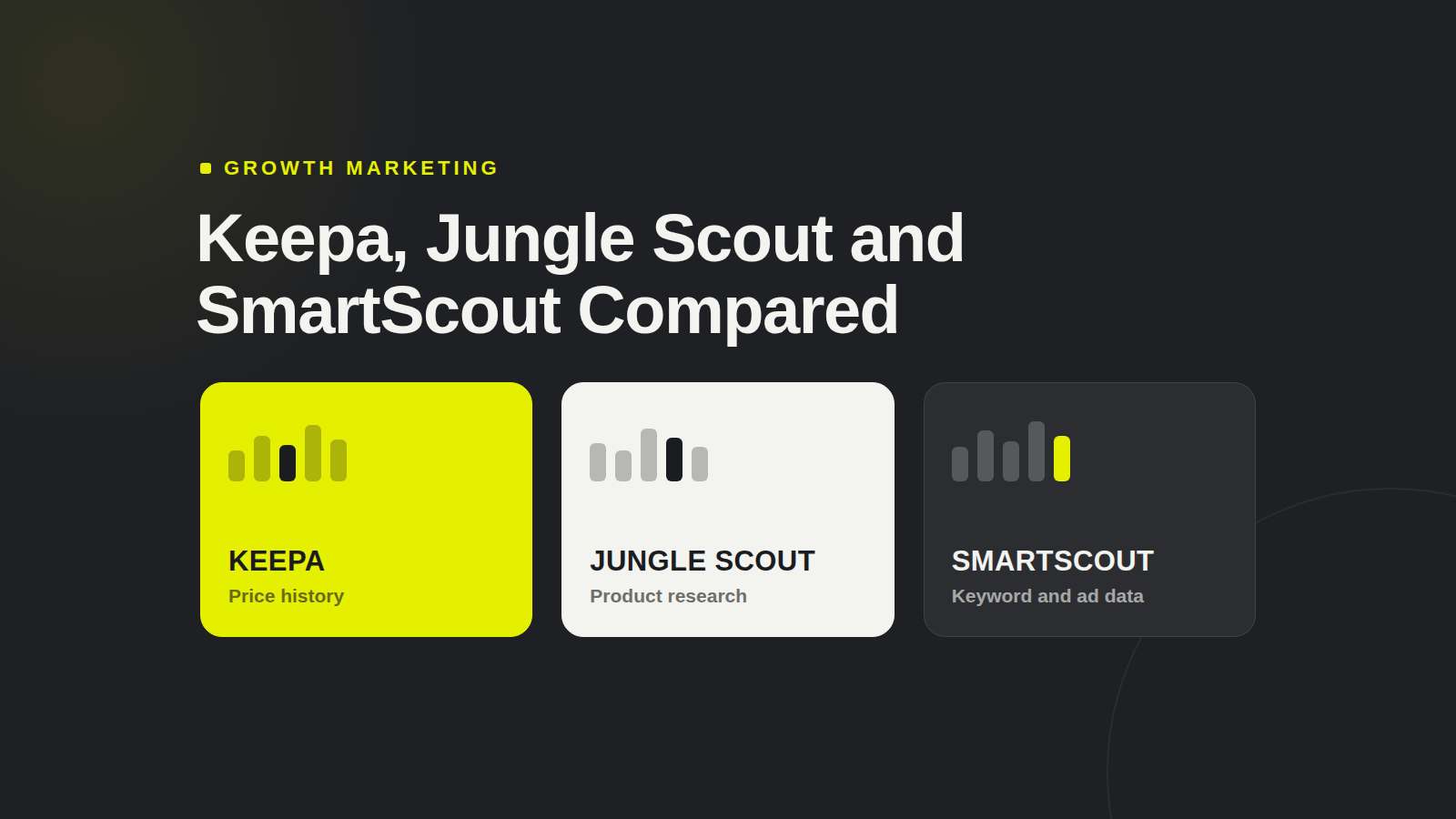
We compare the Jungle Scout extension head-to-head with Keepa and SmartScout on price history charts, data accuracy and everyday browser workflow.
The Jungle Scout extension is a Chrome-first add-on that overlays estimated sales, revenue, rank and review-velocity data onto Amazon search results and product detail pages, and it ships as part of a Jungle Scout account rather than as a standalone free product — so the practical first step is to confirm which plan you hold, install it from the Chrome Web Store, and sign in with the same credentials you use for the web app. Everything below is organised around that browser-first reality: what each of the three main Amazon extensions actually puts on the page, what access costs, which browsers are supported, how to fix the failure modes people search for, and where each tool stops being the right answer.
Quick Verdict: What Each Browser Extension Does on an Amazon Page
If you arrived with a specific tool already in mind, the table below is the short answer. It maps what Keepa, the Jungle Scout extension and SmartScout each render across the three Amazon surfaces that matter — product detail pages, search results and storefronts — so a navigational visitor can confirm they are installing the right thing in under a minute.
Extension | Primary job | On a product detail page | On search results | On storefront and brand pages |
|---|---|---|---|---|
Keepa | Price-history charting | A full price-history graph covering Buy Box, Amazon, New and Used offers, sales rank and offer counts, plus drop alerts | An inline price-history sparkline, last price change and current drop indicator per result | Thin — Keepa is listing-centric and does not model brand or seller revenue |
Jungle Scout extension | Sales estimation and product validation | Estimated monthly sales and revenue, price and rank history, review velocity, opportunity scoring, and save-to-list actions | Estimated sales and revenue beside each result, with filtering and quick-add workflows | Partial — usable for scanning a seller's catalogue, not for revenue modelling across a brand |
SmartScout | Catalog and seller-level intelligence | Brand and seller attribution, category context and estimated revenue | Brand- and category-level overlays with seller mapping | Strongest of the three — historical storefront tracking, brand breakdowns and category revenue |
Three clarifications before the detail. First, these tools overlap but they are not substitutes. Keepa is a price-history charting instrument — its centre of gravity is the graph, and everything else is secondary. The Jungle Scout extension is a sales-estimation and product-validation overlay: it exists to answer "is this worth launching?" while you are standing on the listing. SmartScout is catalog- and seller-level intelligence, less interested in the ASIN in front of you than in the brand, seller and category behind it. A seller who buys one expecting the behaviour of another is the most common source of disappointment in this category.
Second, all three are Chrome-first. Keepa distributes its extension across Chromium-compatible browsers and has historically maintained a Firefox build; Jungle Scout and SmartScout ship primarily through the Chrome Web Store, with Edge accepting Chrome Web Store installs because it runs on the same engine . Whether an official Jungle Scout Firefox extension exists should be confirmed on Jungle Scout's own help centre before you hunt for a third-party port, because unofficial builds and discontinued listings circulate widely and asking for Amazon credentials is exactly where browser extensions become a security decision rather than a convenience one.
Jungle Scout Extension: Install, Plans, and What You Actually See
How to install it
Sign in to your Jungle Scout account in the same browser you will use for Amazon, or create one if you are still evaluating.
Open the Chrome Web Store and search for "Jungle Scout Extension". Confirm the publisher listed on the store page matches Jungle Scout before clicking install — clone extensions with similar names are a recurring problem in the Amazon tool space.
Click Add to Chrome, then pin the icon to your toolbar so you can see the login state at a glance.
Open the extension popup and sign in. The overlay will not render on Amazon pages for a logged-out session, which is the single most common cause of the "extension not working" complaint.
Load any Amazon product detail page and wait a few seconds for the data panel to populate. On a cold cache the first render is slower.
Verify against a listing you already know the performance of. If the estimated sales figure looks wildly out of range, you are usually looking at a category mismatch or a stale data pull rather than a broken install.
Is the Jungle Scout Chrome extension free, and which plans include it?
The honest answer for a navigational reader is that the extension is an access layer on top of a paid subscription, not a free product in its own right. Jungle Scout has historically offered a limited trial window and a lower-cost entry tier, with the extension bundled into paid plans rather than sold separately; current plan names, monthly and annual prices, and whether the entry tier includes full on-page data should be verified on Jungle Scout's pricing page, as the structure changes periodically. Treat any article quoting a hard number — including this one — as a snapshot rather than a commitment.
The distinction that matters more than price is scope. The standalone web app is where you do database-scale work: filtering a category by revenue band, running keyword research, building supplier shortlists, exporting prospect lists. The extension is a page-level instrument. It reads the listing you are on and hands you an estimate plus a shortcut into the app. Buyers who expect the extension alone to replace the database are consistently disappointed, and buyers who expect the database to tell them what is happening on a specific ASIN in real time are equally disappointed. They are two halves of one workflow.
What actually appears on the page
On a product detail page, the overlay typically surfaces estimated monthly sales and revenue for the listing, a price and Best Sellers Rank history, review velocity, and an opportunity score that compresses demand and competition into a single number. On search results, the same estimates appear beside each organic result, which is the genuinely useful part: you can scan a keyword and see which listings are moving volume versus which are coasting on listing age. The review-request workflow, where supported, lets you act on a listing without leaving the tab — useful for sellers running a launch, less relevant for researchers.
Everything the Jungle Scout extension shows is modelled, not observed. Sales estimates are inferred from rank and category behaviour, which means accuracy degrades at the long tail, in categories with volatile rank, and around Prime Day and Q4 when rank-to-sales relationships break down. Read the numbers as directional bands, not as a P&L.
Troubleshooting: Jungle Scout extension not working
Logged-out session. The overlay silently fails rather than prompting. Open the popup and confirm you are signed in; re-authenticate if the session expired.
Stale or missing data. Clear the extension's cached data from the popup, then hard-reload the Amazon page. Newly listed ASINs and recently merged listings often have no history to show.
Amazon layout changes. Amazon ships markup changes continuously. When panels land in the wrong place or fail to render, update the extension first — vendors usually patch within days — and avoid cosmetic fixes of your own.
Conflicting extensions. Two Amazon overlays on the same page will fight for the same DOM slots. Disable competitors temporarily, or use a dedicated browser profile for research so your shopping profile stays clean.
Wrong marketplace. Forcing amazon.co.uk or amazon.de without matching your account's marketplace settings produces empty panels more often than it produces errors.
Keepa and the Price History Question
Anatomy of a Keepa graph
Keepa's chart stacks several series on one timeline: the Buy Box price, the price Amazon itself charges when it holds the listing, the lowest New and Used offers, the Best Sellers Rank plotted on an inverted axis, and the count of active offers. Reading it well means reading the relationships. A Buy Box line that collapses while offer counts rise is a price war. A rank line that improves while price holds steady is demand, not discounting. Offer counts that fall away while price climbs usually signal a suppressed or out-of-stock competitor. This is why Keepa survives as a reference layer even for sellers who own every other tool: it is the closest thing Amazon has to an audit trail.
Does Amazon show price history on its own site?
No. Amazon displays the current price and, occasionally, a struck-through list price, but it does not publish a historical price chart for a listing. Anything resembling Amazon price history on an Amazon page is being injected by an extension. That single fact explains the persistence of this category — and it also means the accuracy of any historical chart depends entirely on how long the vendor has been crawling that marketplace.
Keepa or CamelCamelCamel: which is more accurate?
Both are third-party crawlers, so neither is authoritative, but they differ in coverage and granularity. Keepa tracks more series per listing and more marketplaces, which makes it stronger for verifying whether a discount is real; CamelCamelCamel is simpler, free, and perfectly adequate for a buyer checking whether a single item is genuinely on sale. For sellers and affiliates, the practical test is to check a listing you have personally watched through a price change and see which chart matches your memory. Coverage differs by marketplace, and the difference compounds on lower-traffic ASINs.
Free versus paid Keepa, and price-drop alerts
Keepa operates a limited free tier with a paid subscription that lifts the tracking scope — more products watched, longer history windows, more marketplace coverage. For anyone using Keepa as a working tool rather than an occasional check, the paid tier is the version that matters, because the free tier's constraints bite exactly when you are tracking a category rather than a single purchase. Price-drop alerts are configured from the product page or the account dashboard: set a target price or a percentage threshold, choose the marketplace, and Keepa notifies you when the Buy Box crosses it.
For affiliates timing a promotion — or anyone weighing browser price-history data for ad planning — this is the highest-value use of the tool. A "deal" that is only 4% below the ninety-day median is not a deal, and the graph tells you that in three seconds. Positioning Keepa as the verification layer — the thing you check before you publish a promotion or repeat a competitor's discount claim — is more defensible than treating it as a research platform.
SmartScout in the Browser: Catalog and Seller-Level Context
SmartScout's extension sits closest to the storefront end of the spectrum. In-browser it surfaces brand attribution for listings, seller breakdowns behind a brand, estimated category-level revenue, and historical tracking of a storefront's size and trajectory. Where a product-page overlay answers "how is this ASIN doing", SmartScout answers "how big is this brand, who is selling it, and how has that changed over the last year" — a different question, and one that product-page tools structurally cannot answer because they never leave the listing.
Against the Jungle Scout extension, the comparison is data depth versus workflow breadth. Jungle Scout bundles estimation with opportunity scoring, review workflows, supplier research and a mature database, and it is the better fit for a seller who wants one subscription across the whole launch process. SmartScout trades that breadth for catalog resolution — brand and seller mapping at a level Jungle Scout's page-level overlay does not attempt. SmartScout has also marketed itself partly on Jungle Scout's lack of a meaningful free tier, which is a fair observation about acquisition friction and a weaker one about value: a seller who closes two validated products a year is not optimising for the free tier, and Jungle Scout's trial exists precisely to let you test that. The critique lands hardest on hobbyists and hardest-to-justify for anyone operating at volume.
The limitation worth stating plainly: catalog data tells you a niche is large, not that a specific product is worth launching. A six-figure category can be six-figure because one incumbent owns it — which is why you should sanity-check category trends with browser data before treating a total as an opportunity. SmartScout is the tool you open after you have a shortlist, to check whether the brand behind a listing is a solo operator or a portfolio with twelve SKUs and a distribution deal — and that context changes the decision more than any single revenue estimate.
Head-to-Head: Jungle Scout vs Keepa vs SmartScout (and Helium 10)
Dimension | Keepa | Jungle Scout extension | SmartScout |
|---|---|---|---|
Price | Tiered subscription with a limited free tier | Bundled with paid Jungle Scout plans; trial available | Paid subscription, demo-led sales process |
Free tier | Yes, limited | No meaningful free tier beyond trial | No free tier |
Browser support | Chrome, Chromium browsers, historical Firefox build | Chrome and Chromium-based Edge | Chrome and Chromium-based Edge |
Price-history depth | Deepest of the three — multiple series per ASIN | Present, but secondary to sales estimation | Limited; focused on catalog rather than listing history |
Sales estimates | None | Per-listing estimates on detail and search pages | Brand- and category-level revenue estimates |
Alerts | Core feature — price and drop thresholds | Limited, workflow-oriented | Limited, catalog-change-oriented |
Export and API | Data access via subscription tiers | CSV export inside the web app, not the extension | Data licensing and bulk access on request |
The recurring question — is the Jungle Scout extension better than Helium 10's extension — is best answered with a use-case split rather than a winner. Helium 10's extension is generally stronger as a keyword and listing-audit instrument: it is built for people who live inside search-term data and listing optimisation, and its overlay follows that bias. The Jungle Scout extension is stronger as a validation instrument: faster to read, more opinionated about whether a product is worth pursuing, and better integrated with an opportunity-scoring workflow. If your day is keyword harvesting and listing surgery, Helium 10; the fair test is to compare a Helium 10 trial with browser add-ons on the same ten ASINs before you commit. If your day is "should I launch this", Jungle Scout. AMZScout and Viral Launch occupy the same decision space with their own tilts toward entry pricing and launch tooling respectively; the differentiator between all of them is which workflow you repeat most often, not which has more features.
Pick this if…
You are a new FBA seller validating a first product. Start with the Jungle Scout extension for the on-page estimate and opportunity score, and use Keepa's free tier to check that the current price is not an artificial peak. Add SmartScout only when you have narrowed to two or three categories.
You are an affiliate timing promotions. Keepa is the whole stack. Alerts plus the graph let you verify whether a discount is real and time a post to a genuine trough rather than a manufactured one.
You are an agency auditing a client's catalog. SmartScout first for the brand and seller picture, Keepa second to sanity-check pricing strategy across the portfolio, and Jungle Scout where you need per-listing estimates for a client report — the same evidence stack helps you verify provider claims with browser extensions before you sign a new vendor.
Where Browser Extensions Stop: Cross-Marketplace and TikTok Shop Data
All three tools share one structural limit, and it is architectural rather than commercial: an extension only reads the page you are standing on, in one marketplace, at one moment. It cannot tell you that the same product is accelerating on TikTok Shop, cannot attribute sales to a specific creator, cannot compare demand across Amazon and a DTC storefront, and cannot see velocity — the second derivative of demand that tells you a product is peaking rather than plateauing. For Amazon listing-level decisions that limit is fine. For portfolio, sourcing and creator decisions it is disqualifying.
This is where the picture widens. TikTok Shop has become a demand-discovery surface in its own right, and the brands winning there are frequently not the brands winning on Amazon — a gap that no Amazon extension can close, because the data does not exist on the page the extension can read. Our own analysis of why TikTok Shop data and research tools surface real demand signals covers the methodology; the short version is that creator-level velocity leads marketplace search volume rather than following it.
Brand name | Category | Revenue 30d (USD) | Revenue growth rate | Units sold 30d |
|---|---|---|---|---|
medicube | Beauty & Personal Care | $21,620,000 | 19.7% | 732,450 |
VEVOR | Tools & Hardware | $14,190,000 | -31.9% | 194,030 |
comfrt | Womenswear & Underwear | $11,490,000 | 13.1% | 285,600 |
Halara | Sports & Outdoor | $9,860,000 | -24% | 298,630 |
drmelaxin | Beauty & Personal Care | $9,340,000 | -10.2% | 361,630 |
Shark Home | Household Appliances | $8,670,000 | -21.2% | 47,470 |
QVC | Household Appliances | $8,290,000 | -22.5% | 158,820 |
mellow sleep | Textiles & Soft Furnishings | $7,370,000 | -26.7% | 143,620 |
tarte cosmetics | Beauty & Personal Care | $7,190,000 | 0% | 211,810 |
Crocs | Shoes | $7,140,000 | 29.2% | 162,820 |
Consumer brands ranked by recent revenue, with category, revenue growth rate and units sold.. Source: Deviantly Data (TikTok Shop US brands, data as of 2026-10-10).
Read that table as a demonstration of the blind spot. Two beauty brands in the same 30-day window, one growing 19.7% and one contracting 10.2%, both invisible to an Amazon extension — and both worth knowing about if you sell in that category, because the TikTok winners are frequently the ones setting the price expectations your Amazon listing will be compared against. The same logic applies to footwear: a 29.2% growth rate next to a 24% decline in an adjacent apparel category is a signal about where demand is rotating, and rotation is precisely what a page-level overlay cannot show.
Deviantly builds the layer that sits above the page rather than on it. Deviantly Trends tracks emerging product demand across TikTok Shop and DTC before it settles into marketplace search volume. Deviantly Track monitors brand and product performance over time across marketplaces, so you can see a trajectory rather than a snapshot. Creator Intelligence attributes GMV to individual creators — the metric that determines whether a TikTok product is genuinely moving or coasting on one viral video. Marketing Intelligence connects that demand picture to campaign performance. And for teams that need the data outside a browser tab, the Deviantly API serves marketplace data at scale into your own dashboards, scoring models and reporting pipelines — the same problem our work on turning raw store ranks into a benchmark of competitor growth stacks tries to solve at the infrastructure level.
None of this replaces the extension you came here to install. The right framing is a stack, not a switch. Keep the Jungle Scout extension for the validation pass on an individual Amazon listing; keep Keepa, free or paid, for the thirty-second check on whether a price is real; keep SmartScout if brand and seller mapping is part of how you size a category. Then layer Deviantly where the decision moves past a single Amazon listing — into cross-marketplace demand, creator-level attribution, and the question every extension is structurally unable to answer: not "how is this page doing", but "what should we be sourcing, promoting or building next".
FAQ
What is the best free Amazon price history tracker?
CamelCamelCamel and Keepa's free browser extension are the most common free options for viewing Amazon price-history charts, and neither requires a paid seller subscription.
Is Keepa or CamelCamelCamel more accurate for Amazon price history?
Keepa generally refreshes more frequently and tracks more offer types — Buy Box, Amazon, New and Used — while CamelCamelCamel is simpler to read for occasional checks. Both draw on public Amazon data, so large discrepancies are rare.
Can I get alerts when an Amazon item's price drops?
Yes. Keepa and CamelCamelCamel both support price-drop alerts, and the Jungle Scout extension flags price changes on results pages, though alerting depends on the plan you hold.
Does Amazon show price history on its own website?
No. Amazon displays only the current price, so any historical chart has to come from a third-party extension or service such as Keepa, CamelCamelCamel or SmartScout.
Is the Jungle Scout extension free to install?
It installs from the Chrome Web Store at no extra cost, but it only unlocks data when signed in to a paid Jungle Scout account, so it is not a standalone free product.
Olivia Bennett Carter is a Canadian ecommerce journalist specializing in social commerce, creator marketing, and competitive intelligence. Her research focuses on TikTok Shop, Amazon marketplace trends, affiliate discovery, and advertising analytics. She translates complex platform developments and emerging retail trends into accessible, actionable insights that help online sellers and digital marketers make informed decisions.